

getting started with all it
Microsoft SharePoint
Your guide to getting started with Microsoft SharePoint —
what it is, how to access it, and where to find help if you need it.
What is Microsoft SharePoint?
SharePoint is your company’s central hub for internal documents, team collaboration, and updates.
It’s designed to help you find what you need quickly, work with your team,
and stay connected whether you’re in the office or working remotely.
How to access Microsoft Sharepoint
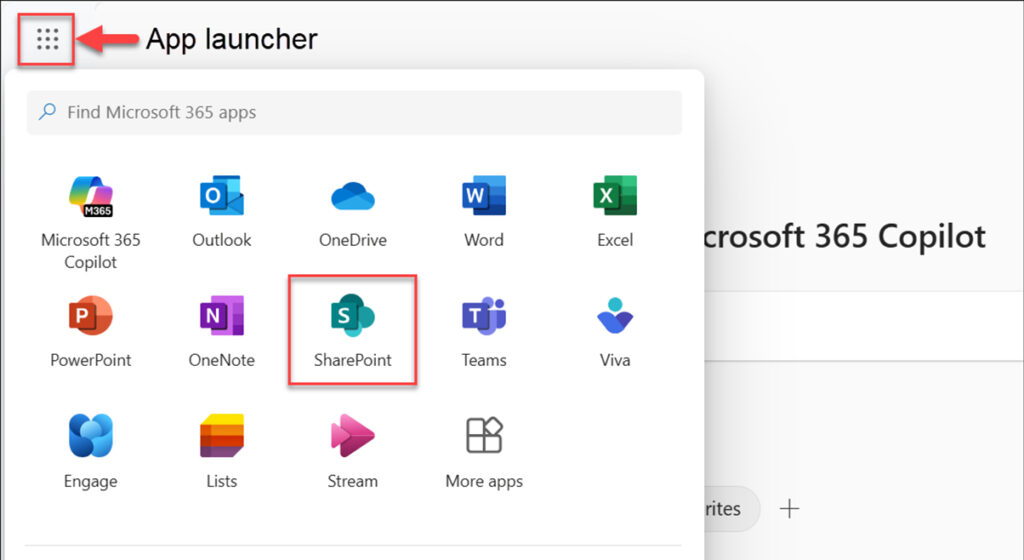
There are two ways you can access SharePoint:
What can you do with Microsoft SharePoint?
SharePoint is more than a place to store files. Once your team is set up, you can use it to manage documents, run internal projects, and keep everyone aligned whether they are in the office, at home, or working across multiple locations.
Australian businesses use SharePoint for a range of tasks day to day:
- Centralised document storage. Keep all company files in one place, with version history so you can see who changed what and when. No more emailing files back and forth or hunting for the latest version.
- Team collaboration. Share documents with specific people or the whole organisation. Multiple people can work on the same file simultaneously, with changes saving automatically.
- Internal communications. SharePoint can function as a company intranet: a central hub for announcements, policies, team updates, and onboarding resources.
- Access from any device. SharePoint works on desktop, tablet, and mobile. Files are available on any device as long as you are signed in with your work account.
- Permissions and access control. Set exactly who can view or edit each document or folder. This matters for businesses that handle sensitive client data, financial records, or compliance documentation.
Common questions about SharePoint
Do I need a separate licence for SharePoint? No. If your organisation is on Microsoft 365, SharePoint is already included. All IT manages Microsoft 365 environments for businesses across Sydney, Melbourne, Brisbane, and regional NSW.
Can SharePoint replace a shared drive or file server? Yes, for most businesses. SharePoint gives you better access control, automatic backups, and version history that a traditional shared drive cannot provide. Migration from shared drives is one of the most common projects All IT handles.
What if our team is not sure how to use it? All IT provides Microsoft 365 onboarding and training for teams. If you need help getting SharePoint configured or want to migrate from an older file server, see our Microsoft 365 services or speak with our team.
Ready to Start Using SharePoint?
Explore
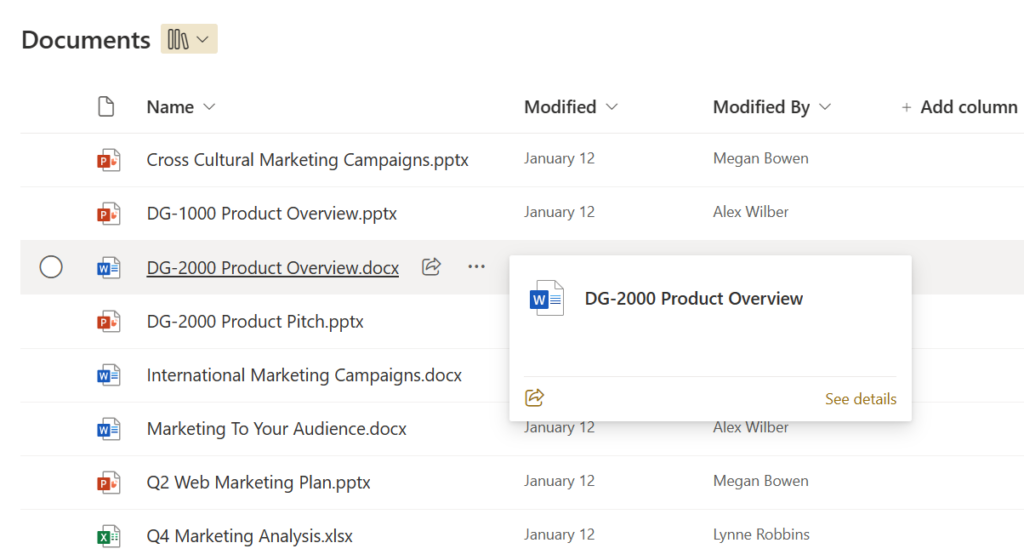
Learn how to upload files, share documents, and work collaboratively in SharePoint.

Need help?
If you get stuck, the All IT Services team is here to help you out.
Next Step…
Now you’re ready to visit our OneDrive setup page to sync your personal work files and folders.