Home » Microsoft 365
Microsoft 365 Managed Services – Elementor Preview
Microsoft 365 Specialists

Microsoft 365
Managed Services
For Small And
Medium Business

Microsoft 365 Business Specialists

Most small businesses end up with Microsoft 365 configured well enough to work, but not well enough to be secure, backed up, or properly supported. That's where we come in.

All IT Services has been managing Microsoft 365 environments for businesses across Sydney, Melbourne, Brisbane, and the Central West of NSW since 2005. We handle migrations from on-premise Exchange, security configuration against recognised Australian standards, third-party backup, and day-to-day helpdesk support. You get a Microsoft Solutions Partner that owns the problem end to end, not one that points you back to Microsoft when something goes wrong.

Microsoft 365 is a cloud-based productivity suite that includes Outlook, Teams, Word, Excel, PowerPoint, SharePoint, and OneDrive. For businesses, it replaces fragmented on-premises software with a single platform where staff can collaborate in real time, share files securely, and access everything from any device. Built-in tools cover email hosting, video conferencing, multi-factor authentication, email encryption, and data-loss prevention, and the platform stays updated automatically so your staff always have the current version without any action on your end.

Getting the most from Microsoft 365 depends on how it's set up and maintained. Incorrect licensing wastes money. A misconfigured tenant creates security gaps. Without a separate backup, deleted files and emails are not always recoverable from Microsoft alone. All IT Services deploys, migrates, and manages Microsoft 365 environments with correct licensing, secure configuration aligned to Australian government guidance, and independent backup, so you're protected and getting full value from what you're paying for.

Our Microsoft 365 managed services sit alongside our broader IT support. If you want to understand how your M365 environment connects to the rest of your infrastructure, explore our cybersecurity services, managed IT support, or 3CX telephony solutions to bring your phone system and Teams together.

M365 Comparison – Elementor Preview
The Productivity Suite Built For Business

Why Australian SMBs Choose Microsoft 365

At its core, Microsoft 365 is a powerhouse of productivity and collaboration. It equips your team with familiar Office applications enhanced by cloud-based capabilities, including advanced analytics, AI-powered insights, and robust security measures. From Word and Excel to Outlook and Teams, every tool is optimised for collaboration, productivity, and innovation.

All IT Services Managed M365 vs DIY vs Generic MSP

Feature All IT Services Managed DIY / In-House Generic MSP
CIS-Benchmarked Security Hardening Varies
Dedicated Microsoft 365 Specialists Varies
Proactive Monitoring & Health Checks
Licensing Optimisation & Cost Savings
Australian-Based Support (Syd/Mel/Bris) Varies
Staff Training & Adoption Programs Varies
Backup & Disaster Recovery Included Extra Cost
Microsoft 365 Migration – Elementor Preview
Microsoft 365 Migration, Done Right

Seamless Microsoft 365 Migration For Your Business

Moving to Microsoft 365 is more than a software change. It affects how your team communicates, stores files, and collaborates every day. Done poorly, it creates downtime, lost data, and frustrated staff. Done properly, it becomes the foundation your business runs on.

All IT Services has been managing Microsoft 365 migrations for businesses across Sydney, Melbourne, Brisbane, and the Central West of NSW since 2005. We assess your current setup, design a migration plan around your operating hours, and execute the move with minimal disruption. Once you're live, we run training sessions with your team covering the tools they'll actually use day to day, from Outlook and Teams through to SharePoint and OneDrive.

No jargon, no finger-pointing, and no lock-in contracts.

Microsoft 365 Business Specialists Sydney
M365 Security Hardening – Elementor Preview
Microsoft 365 Security and MFA Configuration by All IT Services
Microsoft 365 Security, Properly Configured

Microsoft 365 Security Hardening & CIS Compliance

A poorly configured Microsoft 365 tenant is one of the most common entry points for business email compromise, data leaks, and ransomware. Default settings are not secure settings, and most tenants leave significant gaps that aren't visible until something goes wrong.

All IT Services assesses and hardens Microsoft 365 environments against the CIS Microsoft 365 Benchmark, a recognised security standard used by Australian government agencies and enterprise organisations. Our process covers multi-factor authentication, password policies, mail forwarding rules, external access permissions, and admin login activity. Where gaps exist, we produce a prioritised remediation plan and implement the fixes, so your tenant is configured to a standard you can actually verify.

Teams & SharePoint – Elementor Preview
Microsoft Teams, SharePoint And OneDrive

Teams And SharePoint, Configured Right

Most businesses using Microsoft 365 are only getting a fraction of what Teams, SharePoint, and OneDrive can do. Files sit in email attachments instead of shared libraries. Meetings happen in one tool while documents live in another. Staff end up working around the platform rather than through it.

All IT Services configures and optimises Teams, SharePoint, and OneDrive so the tools fit how your team actually works. We set up channel structures, document libraries, and permissions that make sense for your business, whether you have five staff or fifty. We also run onboarding sessions so your team knows how to use what has been set up, rather than defaulting back to old habits.

Microsoft 365 Specialist Melbourne
M365 Backup & Recovery – Elementor Preview
Microsoft 365 Data Recovery Specialist Brisbane
Microsoft 365 Backup And Recovery

Microsoft 365 Backup, Recovery And Business Continuity

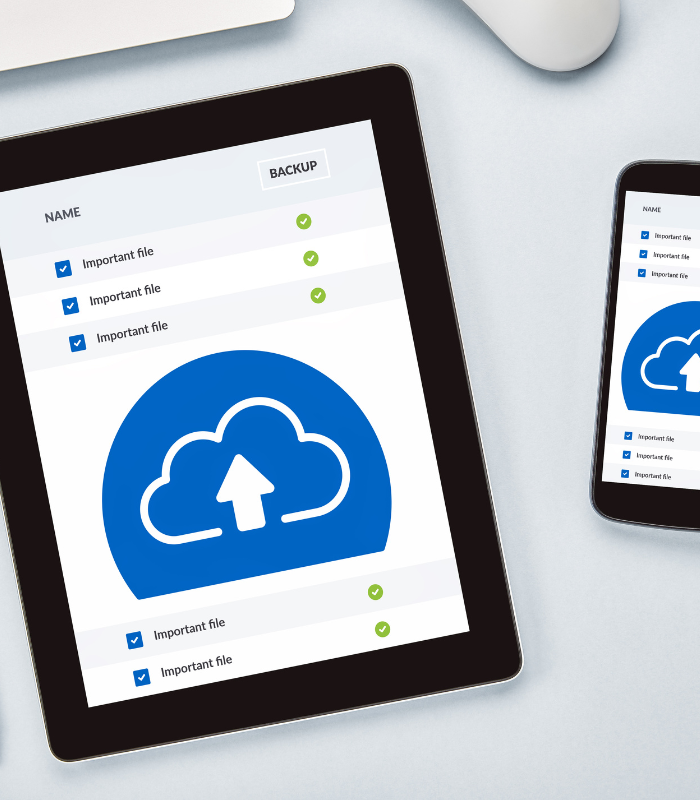
Microsoft 365 does not include a true backup. Retention policies and deleted item recovery have time limits, and once that window closes, data is gone. For most businesses that is not a risk worth taking, especially when email, SharePoint files, and Teams conversations are central to how the business operates.

Independent third-party backup covers Exchange Online, SharePoint, OneDrive, and Teams. Backups run automatically and are stored separately from your Microsoft tenant, so a ransomware incident, accidental deletion, or account compromise does not take your data with it. If something goes wrong, we restore what you need at the file level or the full account level, without waiting on Microsoft support queues.

If you are not sure whether your current setup is actually protected, that is worth checking before you need it.


M365 CTA Section – Elementor Preview
Get Started

Ready To Get More From Microsoft 365?

Most businesses are paying for Microsoft 365 licences they are not fully using. Our team can assess your current setup and show you where the gaps are, at no cost.

Book A Free Consultation
Client Testimonial

What Our Clients Say

All IT have been an amazing IT infrastructure partner for Definiti. As a business that helps other companies harness the power of AI and automation, we needed an IT partner that could keep up with our pace of innovation while ensuring our foundational systems remained rock-solid.

From seamless cloud management to proactive cybersecurity measures, the team at All IT have consistently gone above and beyond. Their deep understanding of the Microsoft ecosystem has been invaluable in helping us optimise our own operations, so we can focus on delivering transformative AI solutions to our clients.

I would not hesitate to recommend All IT to any business looking for a reliable, knowledgeable, and forward-thinking IT partner.

Kris Seneviratne

Managing Director

Definiti — definiti.com.au

Additional Microsoft 365 Services We Provide

Google Workspace to Microsoft 365 Migration

Full migration from Gmail, Google Drive, and Google Workspace apps to Microsoft 365 — including mailbox transfer, file migration, and user onboarding. All IT Services ensures zero data loss and minimal downtime during the switch.

On-Premise Exchange to Microsoft 365 Migration

Seamless migration from legacy on-premise Exchange Server to cloud-hosted Exchange Online within Microsoft 365. We handle hybrid configurations, DNS cutover, and decommissioning of old infrastructure.

Microsoft 365 Licensing & Plan Advisory

Not sure whether you need Business Basic, Standard, or Premium? We audit your current usage and recommend the most cost-effective Microsoft 365 licensing mix for your team — saving you money without sacrificing features.

SharePoint Intranet Design & Build

Custom SharePoint Online intranet design tailored to your business. We build branded company portals, document libraries, team sites, and knowledge bases that your staff will actually use.

Microsoft Teams Deployment & Communication Design

Strategic rollout of Microsoft Teams across your organisation — including channel structure design, governance policies, Teams Phone System setup, and integration with your existing workflows.

Microsoft 365 Tenant-to-Tenant Migration

Migrating between Microsoft 365 tenants due to a merger, acquisition, or rebranding? We handle cross-tenant mailbox, OneDrive, and SharePoint migrations with full data integrity.

Microsoft Intune & Endpoint Management

Device management and security policies via Microsoft Intune (part of M365 Business Premium). We configure mobile device management (MDM), app protection policies, and conditional access to keep company data secure on any device.

Email Security & Anti-Phishing Configuration

Advanced email protection including SPF, DKIM, and DMARC record configuration, anti-phishing policies, safe attachments, safe links, and Microsoft Defender for Office 365 setup to protect your team from business email compromise.

Microsoft 365 Compliance & Data Loss Prevention

Configuration of Microsoft Purview compliance tools including data loss prevention (DLP) policies, sensitivity labels, retention policies, and eDiscovery — helping your business meet industry and regulatory obligations.

Power Automate & Power Apps Consulting

Automate repetitive business processes using Microsoft Power Automate and build custom low-code apps with Power Apps. We design workflows for approvals, notifications, data collection, and integrations across your M365 environment.

OneDrive & SharePoint File Structure Planning

Migrating from a file server or messy shared drive? We plan and implement a clean, permission-based folder structure in OneDrive and SharePoint that scales with your business and simplifies collaboration.

Microsoft 365 Health Checks & Tenant Audits

Already on Microsoft 365 but not confident it’s set up properly? We perform a comprehensive audit of your tenant configuration, security posture, licence utilisation, and best-practice compliance — then deliver a prioritised action plan.

Microsoft 365 Staff Training & Adoption Programs

Hands-on training for Outlook, Teams, SharePoint, OneDrive, and other M365 tools — delivered remotely or on-site across Sydney, Melbourne, and Brisbane. We help your team actually adopt the tools, not just have them.

Microsoft 365 Backup & Disaster Recovery

Third-party backup solutions for Exchange Online, SharePoint, OneDrive, and Teams data. We deploy automated, policy-driven backups with point-in-time restore capabilities to protect against accidental deletion, ransomware, and compliance gaps.